REVIEW · KYOTO
Calligraphy & Digital Art Workshop in Kyoto
Book on Viator →Operated by Studio Aya · Bookable on Viator
Kyoto can be heavy on temples and light on hands-on stuff. This one is different: you get traditional Japanese ink practice and then you switch gears to digital calligraphy on an iPad to make your own etegami picture-letter postcard. I like the way the class starts with real brushwork coaching, and I also love how the digital portion turns what you learned into something you can play with right away. The only thing to consider is that it’s fairly short (about 1.5 hours), so if you want deep, repeat practice, you might leave wanting more time at the table.
The instructors are led by Ami and her team at Studio Aya, connected to her online work through amity_sensei and her iPad education program iPadmate kids. You’ll be in a relaxed studio setting with tea and snacks built into the schedule, and you can go solo or come as a pair or family group since it’s a private activity just for your group. One more practical note: the experience starts at 3:00 pm, so it’s best as an afternoon plan rather than a morning slot.
In This Review
- Key things you’ll notice right away
- Studio Aya and meeting Ami at iPadmate kids
- The traditional half: calligraphy or suibokuga with real brushwork
- Tea break and how you reset before the iPad portion
- Making etegami on an iPad: picture letters that mix art and meaning
- Q&A time: fixing your strokes and asking the practical questions
- Price and value: why $72 makes sense for this format
- Who should book this Kyoto calligraphy and digital art workshop
- Practical tips for a smooth 3:00 pm studio visit
- Should you book this workshop?
- FAQ
- How long is the Kyoto calligraphy and digital art workshop?
- What time does the workshop start?
- Where does the workshop meet?
- Is the iPad provided?
- What art will I learn during the workshop?
- What are included in the price?
- Is this a private tour?
- What is the cancellation policy?
Key things you’ll notice right away
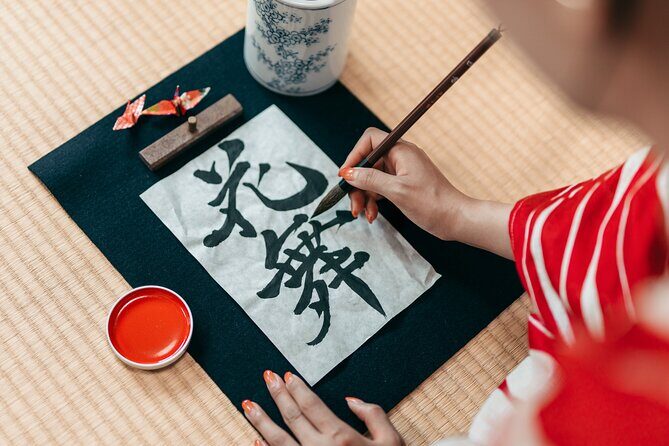
- Traditional brush coaching first: you’ll work on calligraphy or suibokuga (Japanese ink painting) with guided strokes.
- A real break with tea and snacks: you won’t power through the whole session back-to-back.
- iPad calligraphy and picture letters next: you’ll create etegami-style Japanese picture letters digitally.
- Q&A at the end: you get a chance to ask questions about both the paper and iPad approaches.
- Ami’s teaching angle is modern: digital art techniques are taught in a way that still respects the traditional form.
Studio Aya and meeting Ami at iPadmate kids
Your workshop starts at iPadmate kids (47 Daikokuyachō, Kamigyo Ward, Kyoto, 602-8055). The timing matters here: the start time is 3:00 pm, and the session runs about 1 hour 30 minutes including a break. So you’re not trying to squeeze this in while sprinting between big sights. You’ll actually have a block of time to settle in.
Studio Aya is run by the team behind amity_sensei, and Ami is a key part of the experience. She studied digital art in the UK and built her YouTube channel, which introduces creative iPad uses to a big audience. She also founded iPadmate kids in 2020, which is focused on helping kids build creative confidence with iPads. That matters because the class doesn’t feel like a lecture about apps. It feels like a workshop where the iPad is a tool for making Japanese art, not a replacement for it.
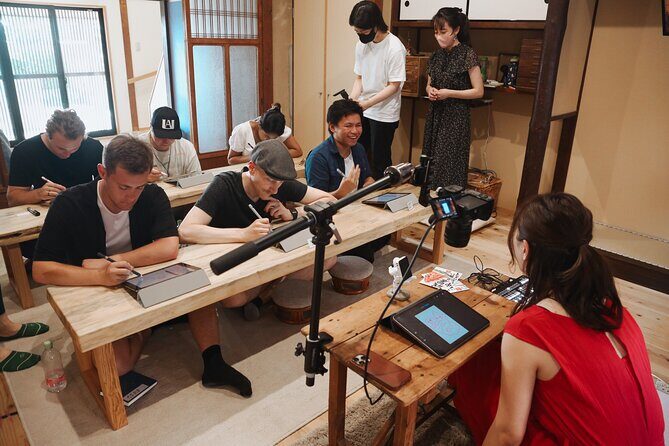
This is also a private activity. That usually means your questions get answered directly, and you’re not stuck doing the pace of whoever is fastest in the group.
A few more Kyoto tours and experiences worth a look


The traditional half: calligraphy or suibokuga with real brushwork
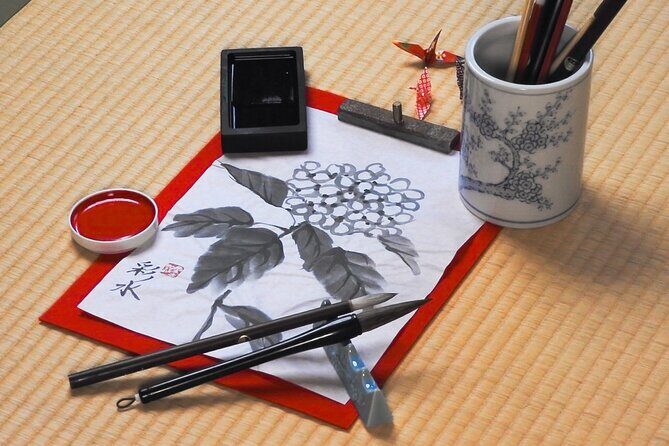
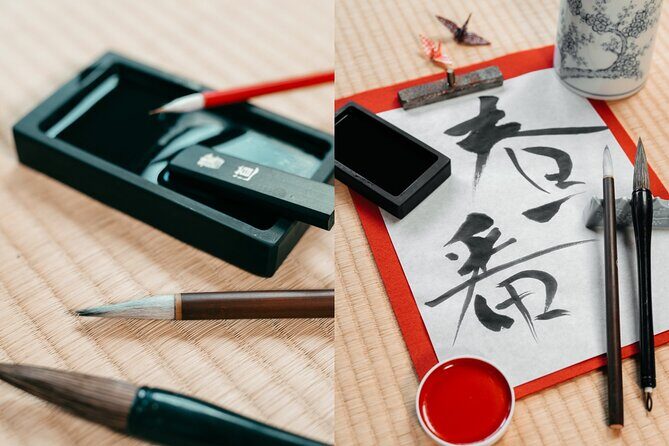
The first part of the class is about starting the right way. You’ll begin with greetings and an introduction to traditional calligraphy or suibokuga. The schedule is roughly 30 minutes for this opening, and the mood is calm and focused.
What I like about this first half is that it’s not just show-and-tell. You’re practicing strokes, and the instructors help improve your brushwork. One of the standout themes from the experience is the Zen approach to calligraphy. That doesn’t mean you need a philosophy degree. It means they guide your attention toward steadier movement and cleaner control, so the act of writing feels more intentional.
If you’ve never done calligraphy before, don’t worry. This is beginner-friendly in the sense that you get instruction while you’re working. And since the class also includes suibokuga, you’ll see how Japanese ink art can feel both structured and expressive depending on how the brush moves.
Also, you’ll learn and work with Japanese characters (including kanji). Even if you only get a few solid strokes on paper, you’ll leave with something more meaningful than a souvenir postcard.
Tea break and how you reset before the iPad portion
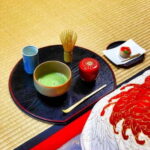
After the traditional segment, you get a break. The plan is about 15 minutes, with free Japanese tea and snacks. This matters more than it sounds. Calligraphy on paper takes concentration, and ink practice can make your shoulders and wrists work more than you expect.
During the break, you can catch your breath and get your bearings for the switch to the iPad. The instructors usually set you up for what comes next, so you’re not walking into the tech portion with zero context.
A practical tip: use the break to look at what you made on paper. The digital part works best when you remember the feeling of the stroke you were aiming for. You won’t be able to copy the exact same ink behavior onto a screen, but you can transfer intent—shape, rhythm, and spacing.
Making etegami on an iPad: picture letters that mix art and meaning
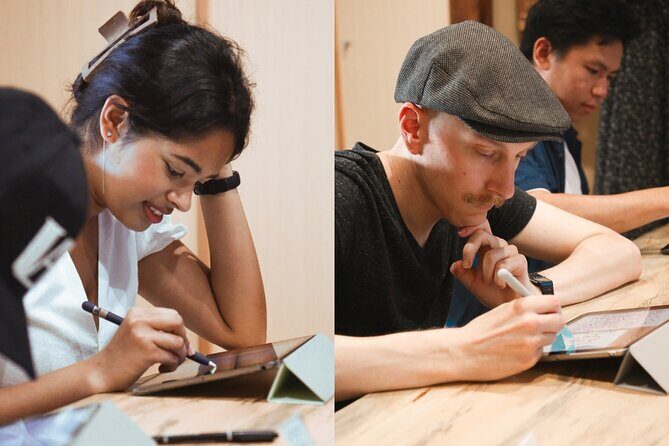
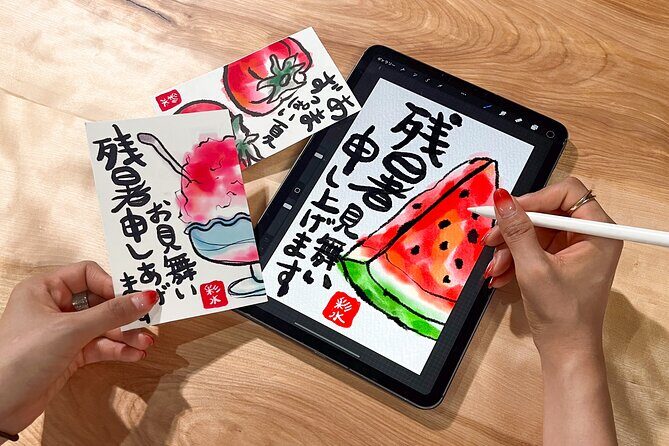
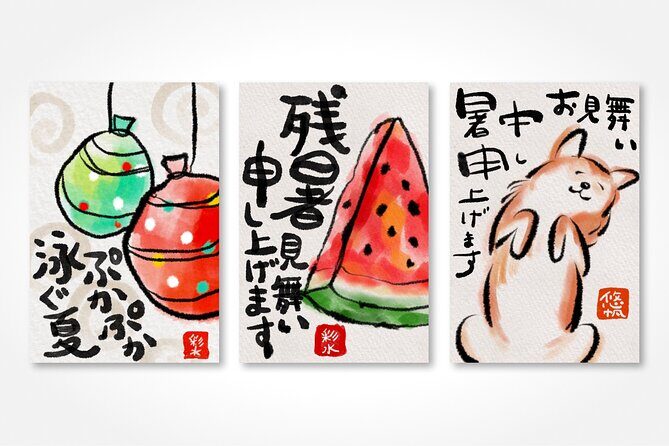
Now for the part that makes this workshop feel modern in a good way. The class moves into a digital art session on iPad, roughly 30 minutes. You’ll work on calligraphy or suibokuga using iPad tools, and you’ll also create Japanese picture letters called etegami.
If you haven’t heard of etegami, think of it as playful Japanese picture writing: characters plus simple imagery, designed to look like a personal note. In this workshop setting, you’re not just typing characters. You’re shaping them as artwork and pairing them with picture-letter style composition.
The best way to understand the value here is to see the logic: the morning of your session (paper) teaches you control and attention. The afternoon portion (iPad) gives you flexibility—undo options, digital effects, and fast iteration—so you can refine your design without wasting materials.
It’s also a great way to translate what you learned about brush strokes into something that still looks like Japanese art, just in a digital format. The result is a postcard-style piece built from both tradition and tech, which is a lot more interesting than a one-time demo.
If you’re traveling with kids, this is often the moment that clicks. The experience includes learning about kanji and practicing characters both on paper and iPad, then turning it into a postcard creation. That blend tends to keep younger hands engaged while still teaching something authentic.
Q&A time: fixing your strokes and asking the practical questions
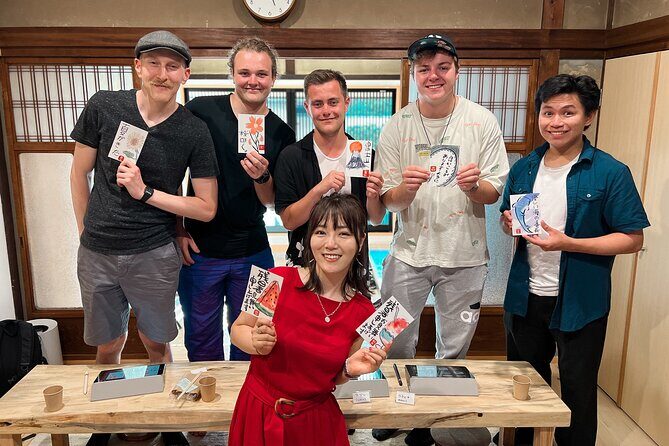
The final chunk is Q&A, roughly 15 minutes. This is where the workshop feels especially useful, because you can ask what you struggled with. Maybe your brush strokes felt shaky on paper. Maybe you weren’t sure how to set up your digital calligraphy. Maybe you just want to understand what makes a line look more like a Japanese calligraphy stroke.
I like this format because it prevents the usual workshop problem: you finish, you’re proud, and then you can’t remember what to improve next time. With Q&A built in, you get a chance to connect your experience to specific feedback while it’s still fresh.
If your goal is to take home a skill you can keep using later, ask about stroke control and how to think about spacing. If your goal is to create a postcard you’ll actually send, ask about making the composition readable as a picture-letter design.



Price and value: why $72 makes sense for this format
At $72 for about 1.5 hours, this workshop is positioned like a value-priced creative class for Kyoto. Here’s what you get for your money that makes the price feel fair:
- You don’t bring the iPad; it’s included.
- You get both traditional practice and digital art, not just one medium.
- Tea and snacks are included, which helps make the session feel like a real studio break, not a rushed activity.
- It’s private for your group, so you aren’t competing for attention.
In many Kyoto activities, you pay for a guided experience and still end up with mostly photos. Here you end up doing the work: brush strokes, characters, and etegami picture-letter design. Even if you’re a total beginner, you’ll leave with a finished piece and a clearer sense of how the two mediums connect.
Who should book this Kyoto calligraphy and digital art workshop
This is a great fit if you want a Kyoto activity that feels cultural but not stiff. I’d especially recommend it if:
- You like hands-on experiences more than museum-style viewing.
- You’re curious about how Japanese art can translate into digital tools.
- You’re traveling with kids. The class includes kanji, practice on paper and iPad, and a postcard-style creation that tends to land well for families.
- You want something shorter and focused with a start time of 3:00 pm, leaving your mornings open for temples or markets.
On the other hand, consider skipping if you only want big-ticket sightseeing or if you want a multi-session course. This workshop is designed to be doable in one sitting. You’ll learn the basics and create something, but you won’t become fluent in calligraphy technique in 90 minutes.
Practical tips for a smooth 3:00 pm studio visit
You’ll want to plan around the studio schedule. The workshop starts at 3:00 pm and returns back to the meeting point, so treat it like an appointment. Since it’s near public transportation, you can build it into an afternoon routing plan without needing a private driver.
Also, review the format in your mind before you go:
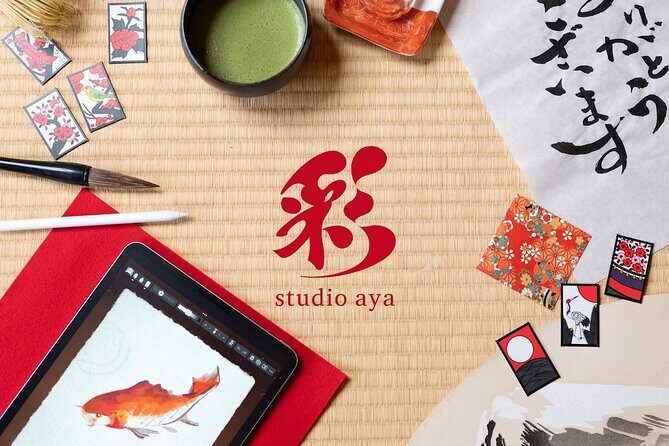
- You’ll work on paper first (traditional calligraphy or suibokuga).
- You’ll take a tea and snack break.
- Then you’ll switch to iPad digital calligraphy and etegami picture-letter design.
If you’re the type who likes structure, you’ll appreciate the roughly timed flow. If you’re more spontaneous, that’s fine too—the instructors teach you as you go.
Finally, check your group needs: service animals are allowed, and the experience notes that most travelers can participate. If you have specific concerns about wrist mobility or sitting comfort, it’s smart to plan with your own limits in mind.
Should you book this workshop?
Yes, if you want a Kyoto experience that mixes traditional Japanese ink art with modern iPad creativity, this workshop is an easy yes. The combination of coached brushwork, a calm studio break with tea and snacks, and then hands-on digital etegami design is exactly the kind of activity that makes a trip feel personal.
I’d book it particularly if you want something memorable that you can show later: you’re not just watching art—you’re making it, first on paper and then as picture letters.
Skip it only if you’re looking for a long, deep training course or if you know you don’t want any time with iPad tools.
FAQ
How long is the Kyoto calligraphy and digital art workshop?
The workshop lasts about 1 hour 30 minutes, including a break.
What time does the workshop start?
The start time is 3:00 pm.
Where does the workshop meet?
The meeting point is iPadmate kids, 47 Daikokuyachō, Kamigyo Ward, Kyoto, 602-8055, Japan.
Is the iPad provided?
Yes. An iPad is included.
What art will I learn during the workshop?
You’ll learn traditional Japanese calligraphy and/or Japanese ink painting (suibokuga), and you’ll also make Japanese picture letters called etegami on an iPad.
What are included in the price?
The price includes the iPad, plus Japanese snacks and tea.
Is this a private tour?
Yes. It’s private, meaning only your group participates.
What is the cancellation policy?
You can cancel for a full refund up to 24 hours in advance of the experience’s start time. If you cancel less than 24 hours before, the amount paid is not refunded.